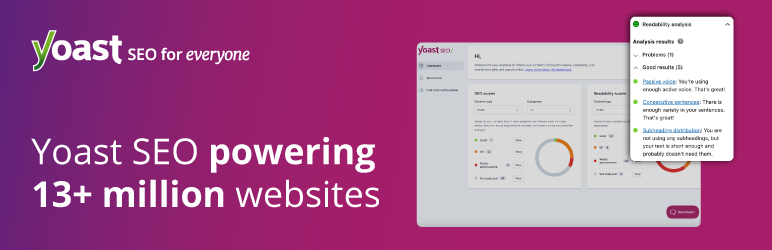
Official website (https://wordpress.org/plugins/wordpress-seo/)
Yoast SEO
Sign in to saveAlso known as WordPress SEO, yoast, yoast seo wordpress, seo wordpress plugin, Yoast SEO Premium
search engine optimization plugin for WordPress
Official website
Yoast SEO – Advanced SEO with real-time guidance and built-in AI – WordPress plugin | WordPress.org
Improve your SEO with real-time feedback, schema, and clear guidance. Upgrade for AI tools, Google Docs integration, and 24/7 support, no hidden fees.
wordpress.org →Link to the official site · 26,285 chars · not written by Vinony
Source code
While the documentation for the Yoast SEO plugin can be found on Yoast.com, here you can browse the source of the project, find and discuss open issues and even contribute yourself. At Yoast, we make use a specific toolset to develop our code. Please ensure you have the following tools installed before contributing. Getting started After installing the aforementioned tools, you can use the steps below to acquire a development version of Yoast SEO. Please note that this will download the latest development version of Yoast SEO. While this version is usually stable, it is not recommended for use in a production environment. During development, you could run grunt build:dev instead of grunt build , to save yourself downloading some dependencies that are only needed for a production environment. For active development, you could run grunt watch to keep the build up-to-date and run checks right away. For JavaScript only, you start a Webpack watch by running yarn start , this command will keep the JS files up-to-date. You'll have to refresh the page yourself. When working in other folders than packages/js , you can refer to their individual readme or package.json scripts. If the package offers a watch, you still have to build the plugin afterwards. For example, the packages/ui-library package has its own yarn watch (and js/css) commands. You can either cd into that folder or target it from the root using the workspace command: This is a developer's portal for Yoast SEO and should not be used for support. Please visit the support forums. Anyone is welcome to contribute to Yoast SEO. Please read the guidelines for contributing to this repository. Raise an issue on GitHub. Send us a Pull Request with your bug fixes and/or new features. Translate Yoast SEO into different languages. Provide feedback and suggestions on enhancements.
Excerpt from the source-code README · 5,233 chars · not written by Vinony
Wikidata facts
- Instance of
- plug-in
- Official website
- wordpress.org/plugins/wordpress-seo
- Has use
- search engine optimization
Show 4 more facts
- source code repository URL
- github.com/Yoast/wordpress-seo
- copyright license
- GNU General Public License, version 3.0
- software version identifier
- 27.4
- supplement to
- WordPress
Sources (3)
via Wikidata · CC0